In order to avoid connectivity issues while your iPhone is connected to the College Wi-Fi Network, the following Settings should be changed on your device
Head to
Settings > Wi-Fi> Tap the i next to the Network in question
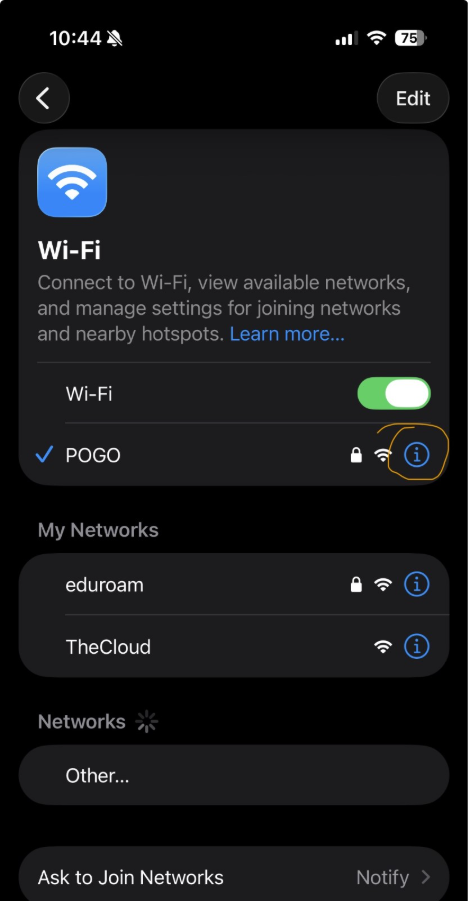
Then change the following
Private Wi-Fi Address > Fixed
Limit IP Address Tracking > Turn it OFF
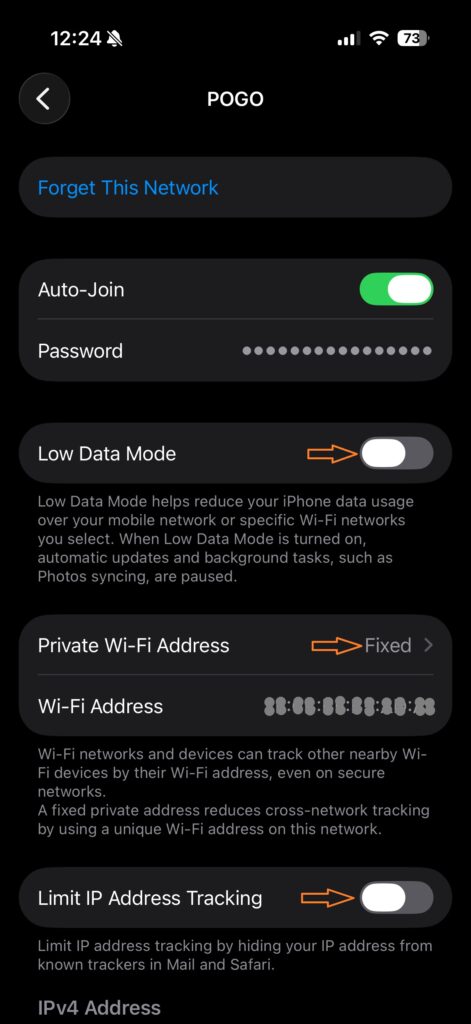
The above instructions can be applied to all Apple devices which could improve connectivity on the POGO network if you are currently experiencing issues with your devices disconnecting a lot.
It is advised that while in college the “Eduroam” and “TheCloud” networks be set to “Auto-Join” = OFF